
Darts tournaments
Run a darts tournament.
Plan the competition, reuse your favourite setup and keep every board moving, from registration to the final. Tournament tools are in the organiser beta.
Tournament tools are being tested in the organiser beta. Availability depends on your invited app build and account. Applying does not guarantee access.
In development
League cups alongside the season.
Linked league competitions are being validated in staging, separately from standalone tournaments. The developing workflow includes Singles, Doubles and Triples entries, division selection, one-night or separate-date rounds, and appointed scoring boards. Later rounds wait for accepted earlier results. These controls are not a promise of access in your current app; the beta team will confirm availability after validation.
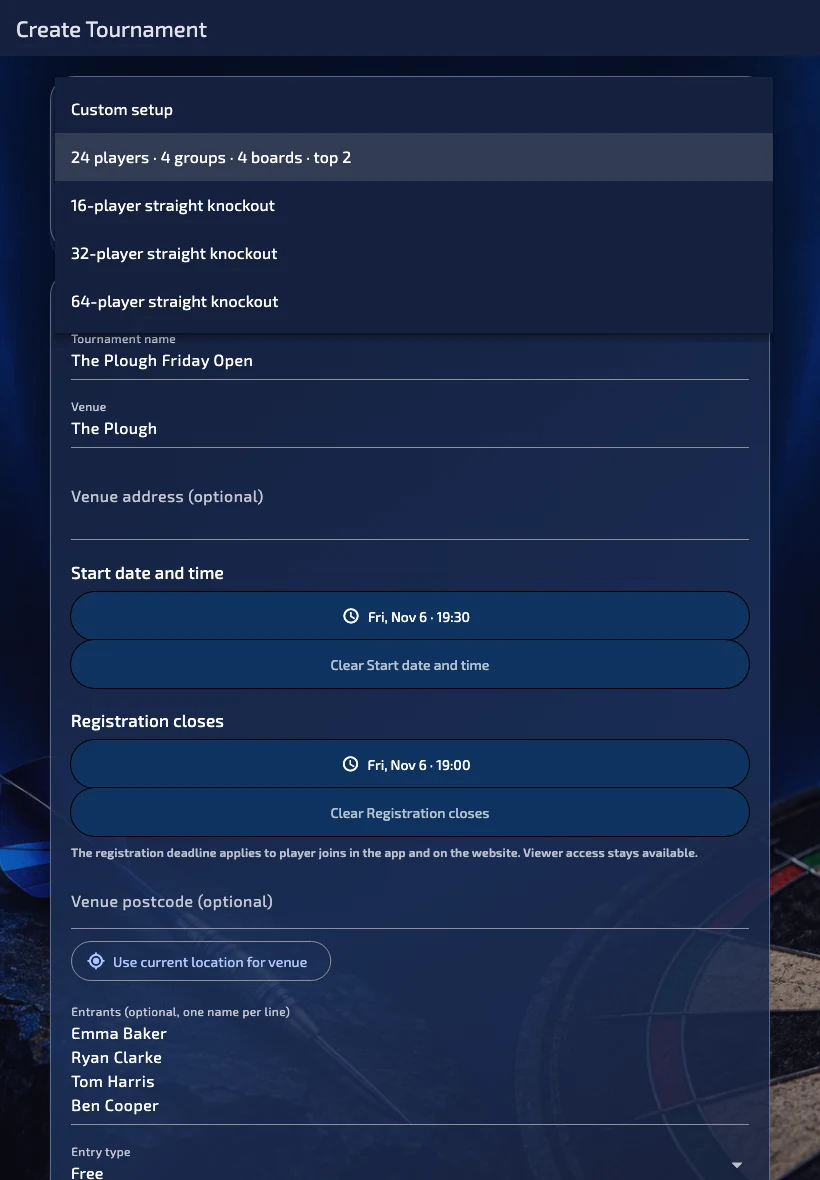
Start with a format that fits your night.
Choose Custom setup, the 24-player setup with four groups of six and four boards, or a 16-, 32- or 64-player straight knockout. The group preset sends the top two from each group through and uses dedicated group boards. You can still edit the boards, legs and other settings before creating the event.
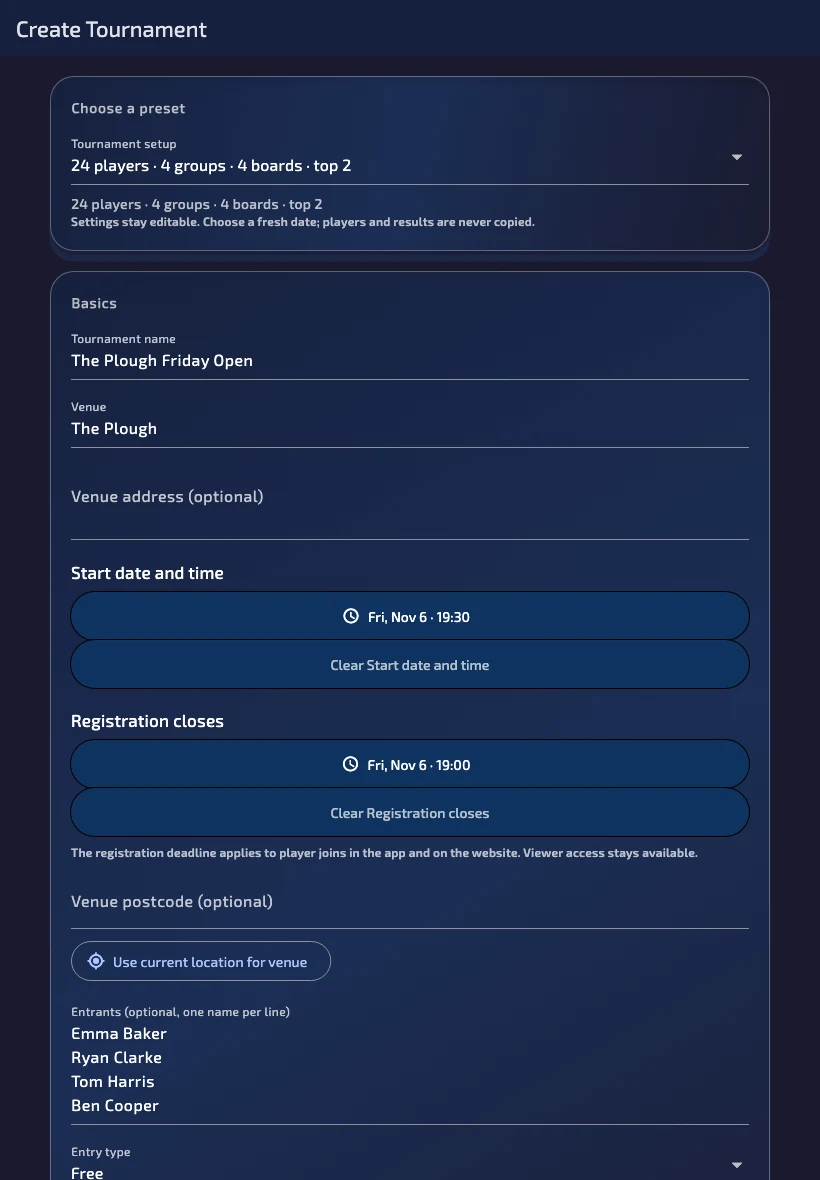
Give players a start time and an entry deadline.
Set an optional start date and time and a separate Registration closes deadline. Players can see those details in Discover and the event overview, and on the public event page. Once the deadline passes, new player registrations close while spectators can still view the event. These are event timings, not fixed start times for every match: play follows the board queues.
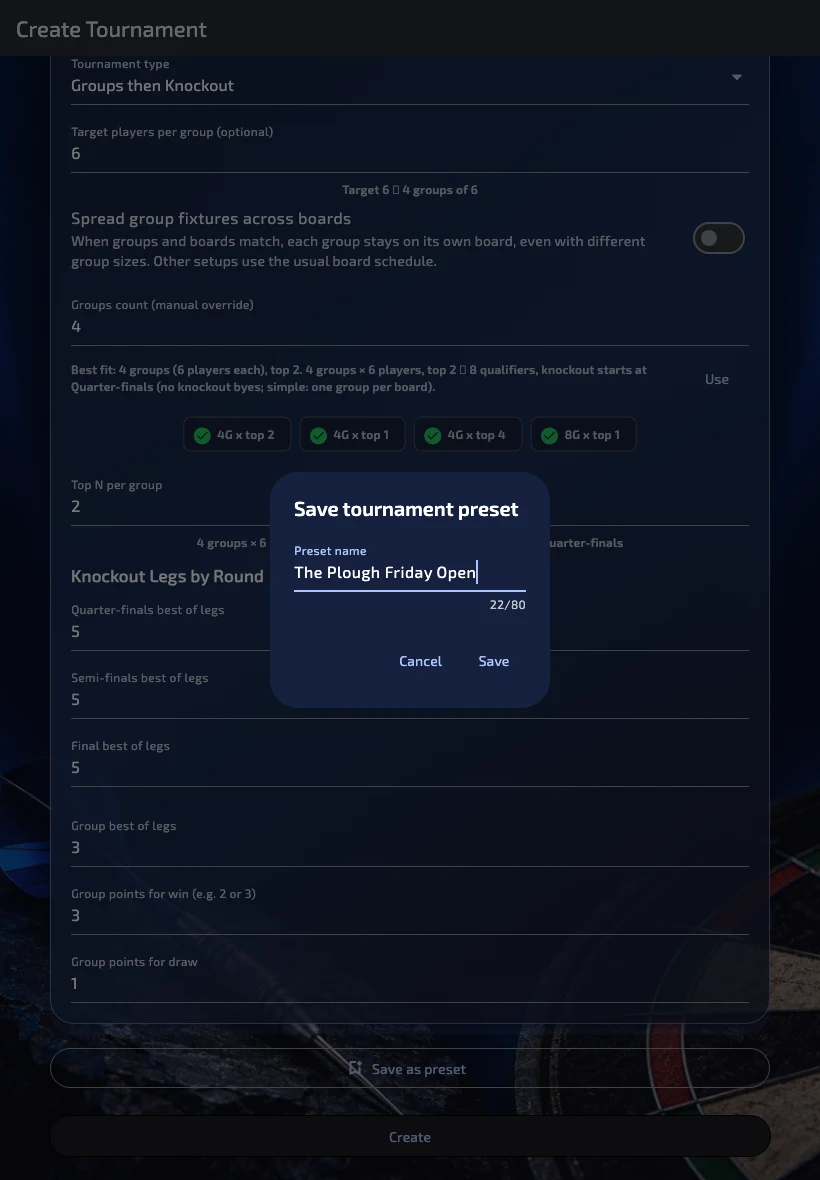
Save your regular setup for next time.
Use Save as preset to keep your venue, format, capacity, boards, entry options and leg settings. My presets stores up to 20 setups on this device for your signed-in account. Choose a fresh event date when reusing one; usual start and closing times carry over relative to it. Entrants, check-ins, results, pairing codes and public links are never copied. Replacing an existing name asks for confirmation.
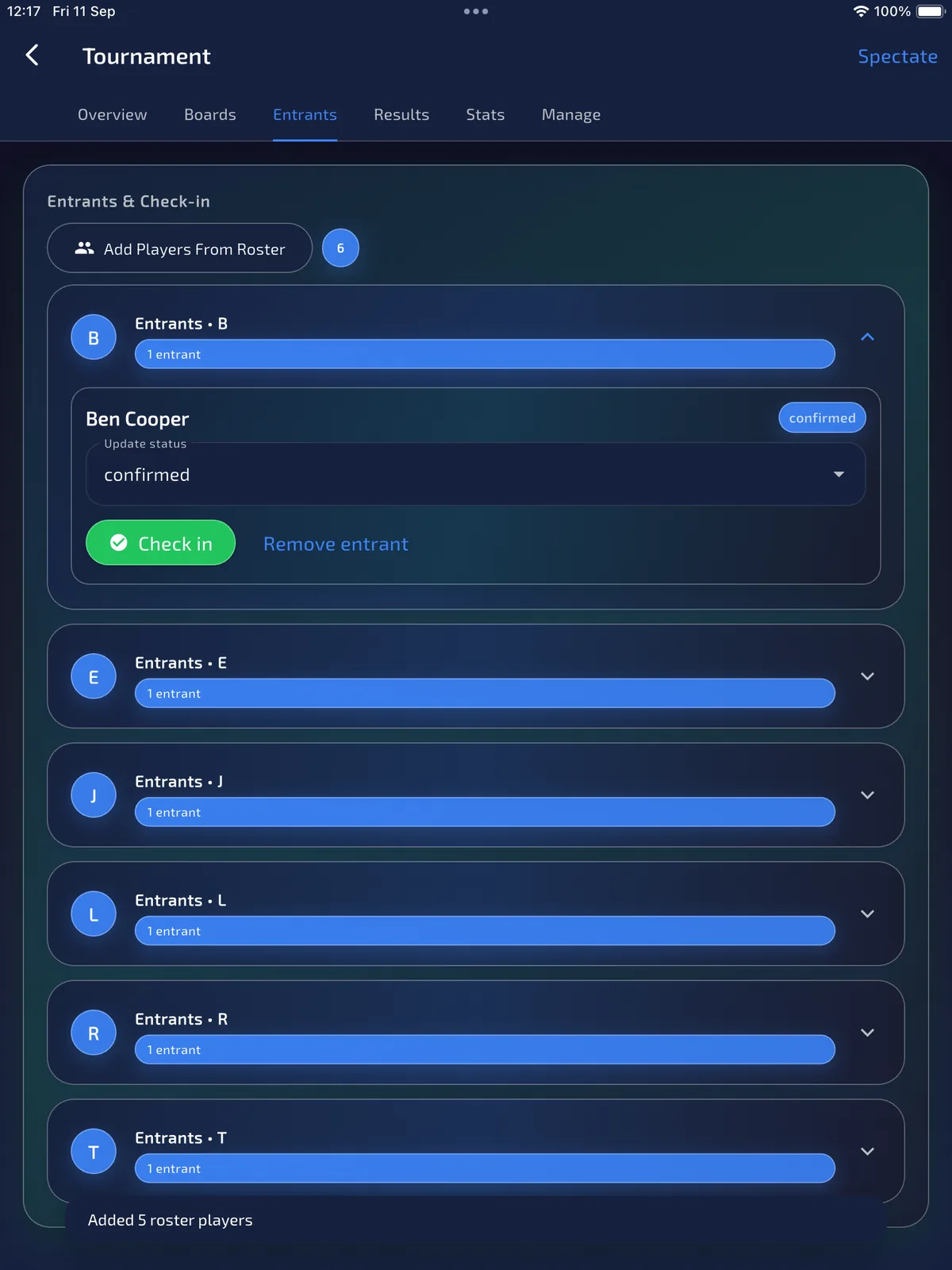
Build the field, then check everyone in.
Players can join a listed event through Discover, or the organiser can add players already in their roster. Name-only entrants can take part too. Before Start Tournament, resolve every registration as checked in, no-show or withdrawn. Start confirms the structure, creates fixtures from the checked-in field and closes entry.
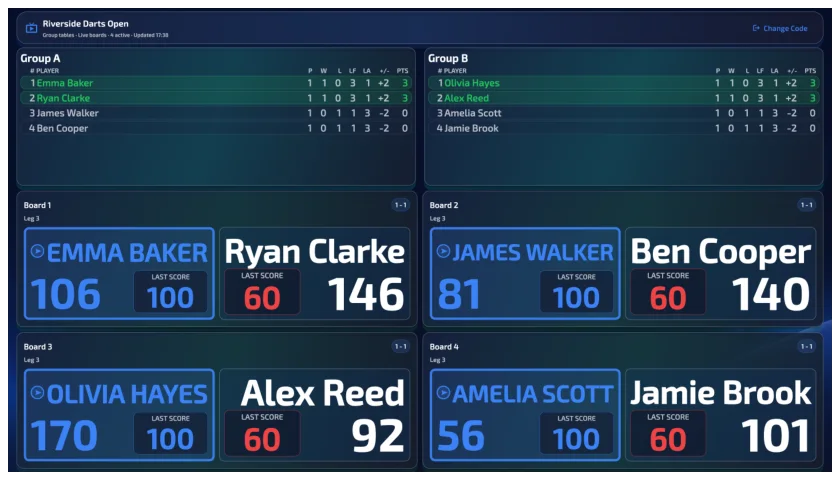
Follow every board while the matches are live.
The live board view shows the group tables and each board’s remaining scores, legs and last visit together. Players and spectators can see which match is on which board without asking the organiser. These names are from a fictional event.
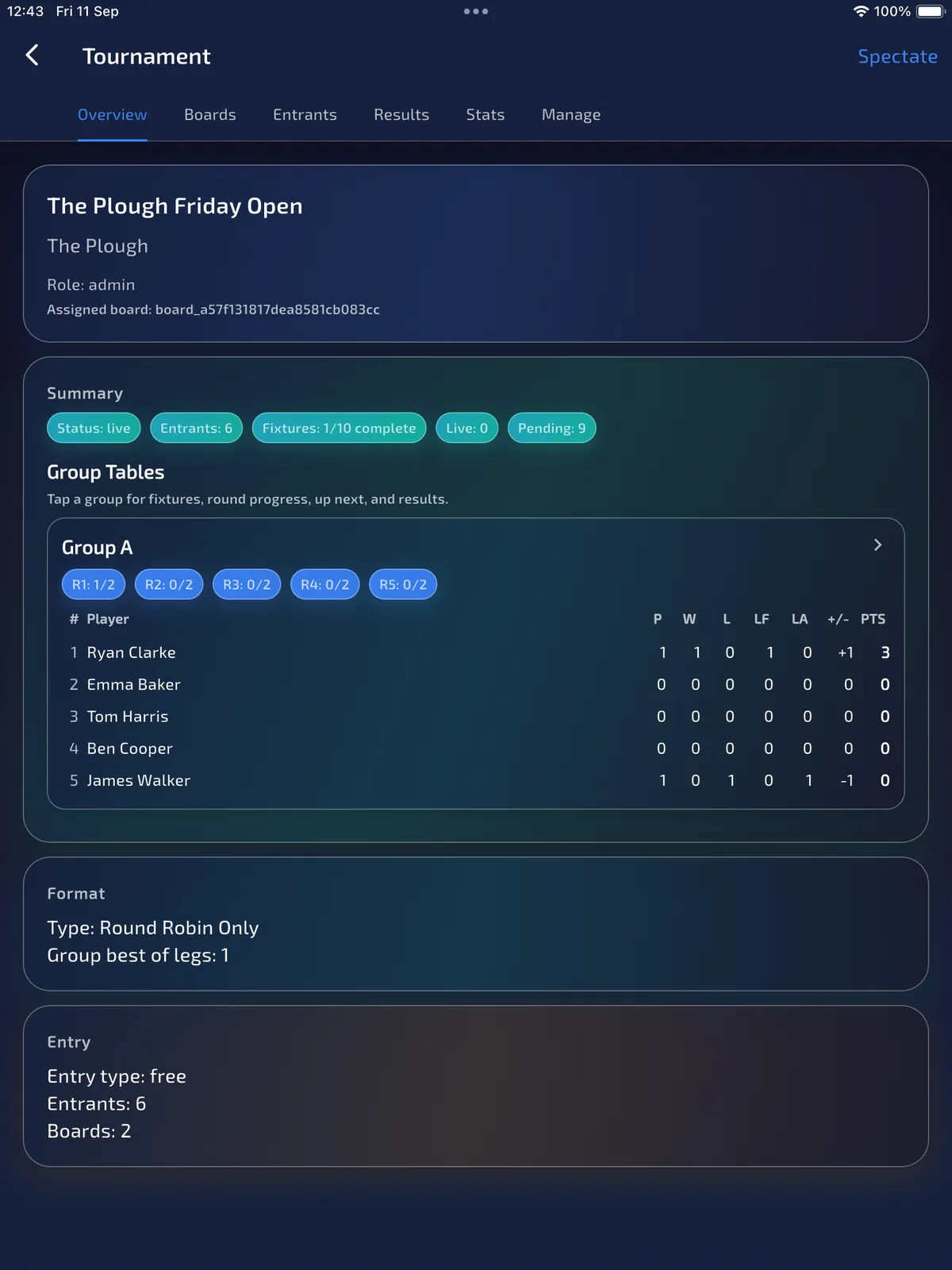
Keep the room moving and the result clear.
Run Round Robin Only, Straight Knockout or Groups to Knockout. Organisers manage boards and queues; paired board tablets handle scoring. Finish Game records the tournament pairing, feeding the group standings or the knockout progression for your chosen format. Match breakdowns and tournament statistics keep the detail available after play.
Follow the workflow
See a tournament take shape.
Real app screens with fictional event and player names. The setup images show the current app rendered locally; the round-robin examples walk through a staged event.
Read the round-robin guide