Every season connected

League management

Run team or player leagues with divisions, fixtures, standings, venues, roles and live results in one system.
Currently in beta testing

ProDart360 is currently in beta testing. Availability may vary while we test the app with real players, captains and organisers.

Limited testing
The table updates with the competition

Inside League management

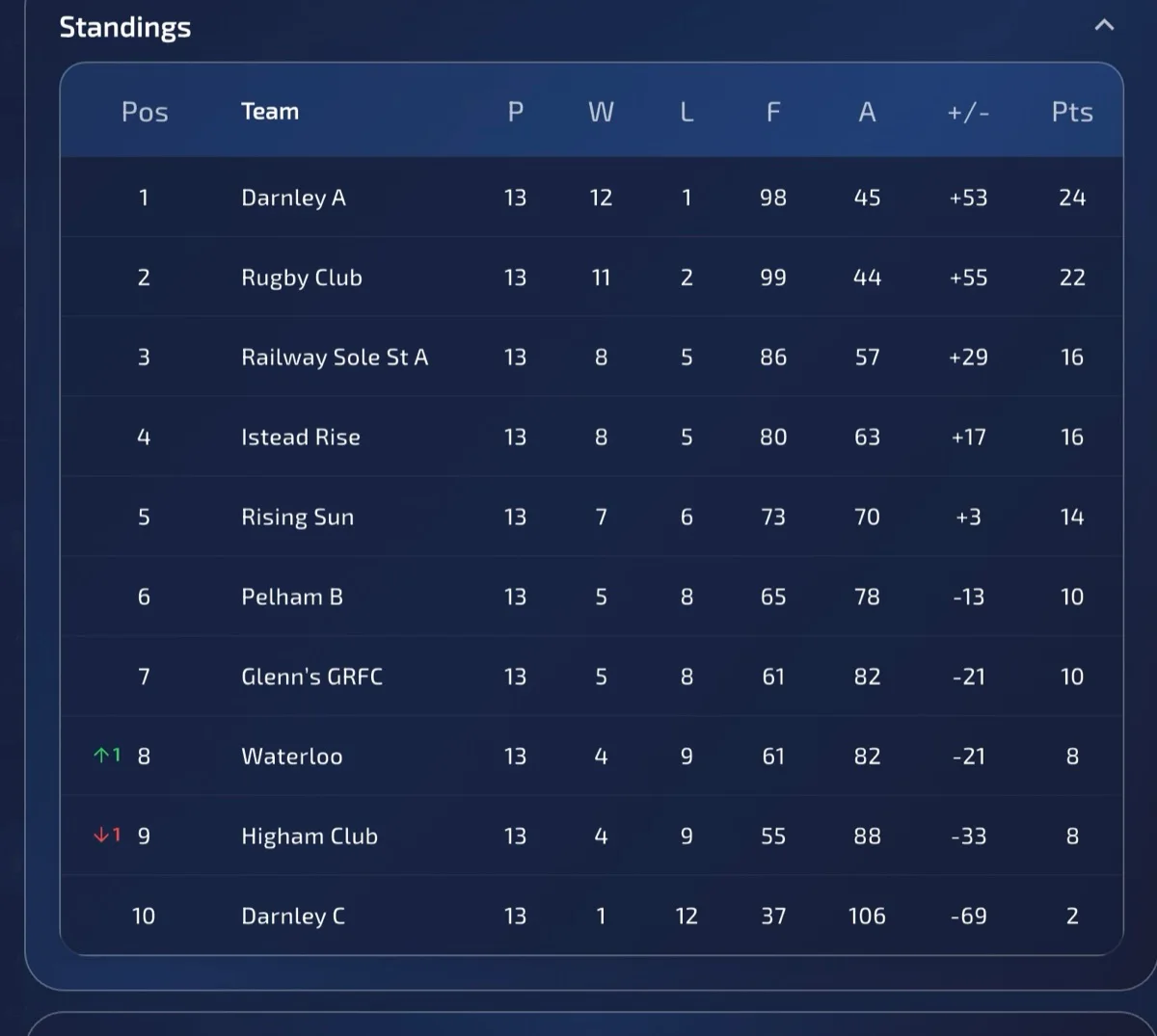
The table updates with the competition

See the season clearly with connected fixtures, results, divisions and live standings.

Everything is arranged around the next useful action, so players can stay focused on the match and organisers can see what needs attention.

Browse the guides →

Why it matters

League admin, results and tables stay connected.

ProDart360 is built for real darts leagues: divisions, teams, player positions, fixtures, live results and standings all sit in the same place. Organisers get a cleaner structure, captains know what needs doing, and players can follow the season without waiting for manual updates.

01

Division creation for larger competitions

02

Live league updates as fixtures are completed

03

Readable tables for teams, captains and players

What it includes

The building blocks of league management.

Each part has a clear job: reduce setup, keep the important information visible and leave you with a useful record after play.

01

Team and player leagues

02

Multiple divisions

03

Live league tables

04

Division setup, results and exports

Feature details

Real app screens, explained.

These are complete app screens, shown at their full proportions so you can see the controls, information and detail that make the feature useful in practice.

Build the season structure
League management

Build the season structure

Create divisions and organise the competition before fixtures and results start flowing.

Keep everyone current
League management

Keep everyone current

Live league updates make the latest status visible without chasing spreadsheets or messages.

Clear league tables
League management

Clear league tables

Standings stay readable and connected to the results recorded in the app.

The usual flow

From the first action to a result you can use.

ProDart360 keeps the workflow predictable: choose what you need, play or manage the moment, then return to the record when you want more detail.

  1. 1Create the league and season
  2. 2Add divisions, venues, teams or players
  3. 3Generate or import fixtures
  4. 4Record results and keep the table current

Want to help shape it?

Apply for beta access to League management.

Apply for beta access →