Play your way

Quick Game

Start a match in seconds, choose your format and keep every visit, leg and finish together.
Currently in beta testing

ProDart360 is currently in beta testing. Availability may vary while we test the app with real players, captains and organisers.

Available for beta testing
A scoring screen designed around the throw

Inside Quick Game

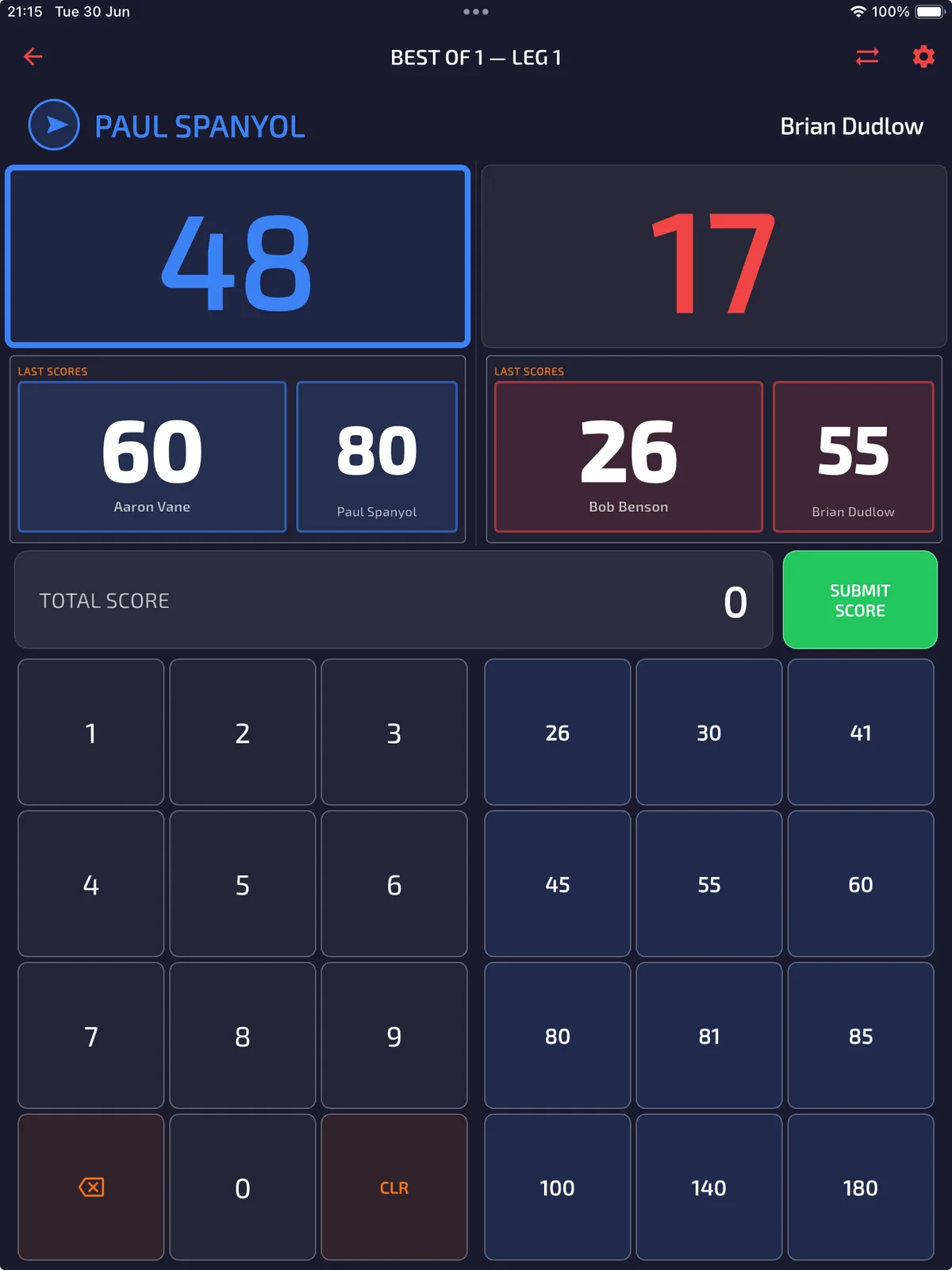
A scoring screen designed around the throw

Integrated presets keep common visits fast while match controls and settings stay within reach.

Everything is arranged around the next useful action, so players can stay focused on the match and organisers can see what needs attention.

Browse the guides →

Why it matters

Start scoring quickly, then keep the detail for later.

Quick Game is the everyday scoring experience for a match at home, at the club or anywhere a board is ready. Set the format, keep the keypad close to the action and let the app record every visit, leg and finish without making setup feel like admin.

01

Fast setup for local matches

02

Integrated presets for common scoring actions

03

A complete record ready for statistics when the match ends

What it includes

The building blocks of quick game.

Each part has a clear job: reduce setup, keep the important information visible and leave you with a useful record after play.

01

Fast local match setup

02

Flexible legs and starting scores

03

Visit-by-visit scoring

04

Performance history for Pro players

Feature details

Real app screens, explained.

These are complete app screens, shown at their full proportions so you can see the controls, information and detail that make the feature useful in practice.

Scoring with control close at hand
Quick Game

Scoring with control close at hand

Integrated presets make common entries quick, while the configurable settings keep the scoring experience matched to the way you play.

The usual flow

From the first action to a result you can use.

ProDart360 keeps the workflow predictable: choose what you need, play or manage the moment, then return to the record when you want more detail.

  1. 1Choose Quick Game
  2. 2Select players and match format
  3. 3Score each visit
  4. 4Review the completed match and statistics

Want to help shape it?

Apply for beta access to Quick Game.

Apply for beta access →